DJI Care Refresh.

Protect your investment with a DJI Care Refresh service plan. Covers crashes, water damage, and more — with express repair and replacement for a small excess fee.

Activate Care Refresh

Important: activation windows. After purchasing DJI Care Refresh, you must bind your drone or gimbal to the service plan within a limited window. Drones have 48 hours after activation, and gimbals have 30 days after activation.

Activating Care Refresh

Three steps to bind DJI Care Refresh to your product.

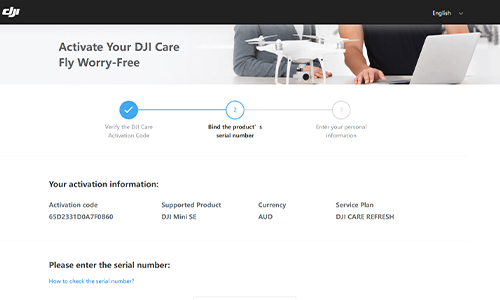
  1. Verify the code

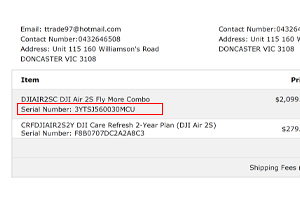
    Enter your Care Refresh activation code on the DJI portal — it's the serial number under Care Refresh on your D1 receipt.

  2. Bind the serial

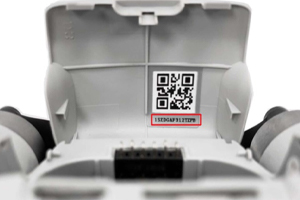
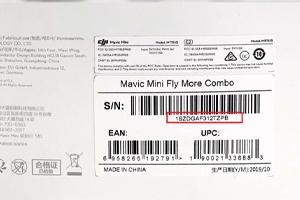
    Enter your product serial number from the box barcode, battery compartment, or your D1 invoice.

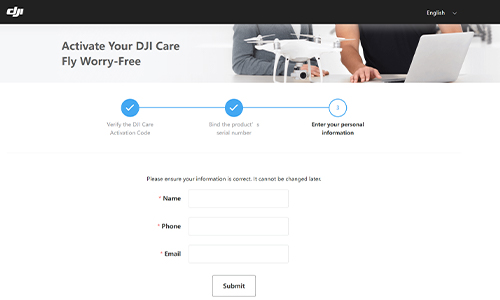
  3. Confirm your details

    Submit your personal details. You'll receive the full contract by email within about 5–10 minutes.

Step-by-step guide.

Follow along with the DJI portal screenshots.

Verify the activation code

Open the DJI Activation Portal, enter your DJI Care Refresh activation code, slide to verify, and continue.

Your activation code is the serial number under DJI Care Refresh on your D1 Store receipt.

If you see "Your Product has been activated for over 48 hours…", go to our Beyond 48 Hours page.
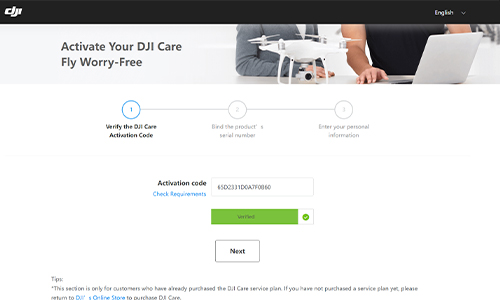
Open DJI portal
Verify the activation code

Bind the serial number

Enter your product's serial number. You'll find it on the barcode of the box, inside the battery compartment, or on your D1 invoice/receipt.

Bind the serial number

Enter personal information

Enter your personal details on the form and submit. After 5–10 minutes, you should receive a full contract with terms and conditions by email.

Enter personal information

Binding flyaway coverage.

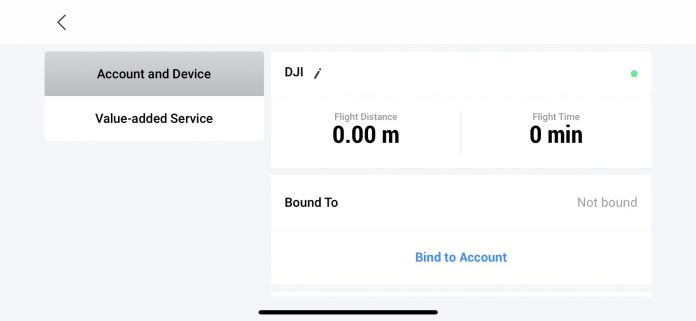
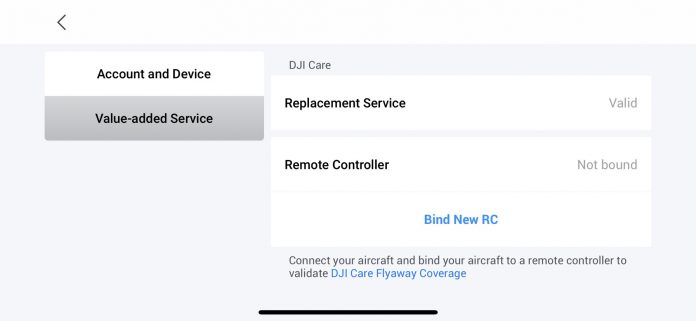
To use Flyaway Coverage, you must bind your DJI account and remote controller with your aircraft in the DJI Fly app before any incident occurs.

Bind to account

In DJI Fly, go to Profile → Device Management → Account and Device, then tap Bind to Account.

Bind to account

Bind new RC

Go to Profile → Device Management → Value-added Service, then tap Bind New RC.

Bind new RC

Care Refresh beyond 48 hours.

Activated more than 48 hours ago? You may still be eligible if the aircraft is under 2 months old and in like-new condition.