 DJI Mavic 4 Pro Creator Combo (512GB)
 DJI Mavic 4 Pro Fly More Combo
 DJI Mavic 4 Pro
 DJI Mavic 3 Pro w. DJI RC
 DJI Mavic 3 Pro Cine Premium Combo
 DJI Mavic 3 (Drone Only)
 DJI Mavic 3
  DJI Mavic 3 Fly More Combo
  DJI Mavic 3 Cine Premium Combo (Open Box)
 Mavic 2 Zoom (Drone Only)
 Mavic 2 Pro
 Mavic Pro Fly More Combo
 DJI Air 3S
 DJI Air 3S Fly More Combo w. DJI RC-N3
 DJI Air 3S Fly More Combo w. DJI RC 2
 DJI Air 3 Fly More Combo w. DJI RC 2
 DJI Air 3 Fly More Combo
 DJI Air 2S Fly More Combo
 DJI Air 2S (Drone Only)
 Mavic Air 2 Fly More Combo
 Mavic Air 2
 Mavic Air (Arctic White)
 DJI Mini 5 Pro Fly More Combo
 DJI Mini 5 Pro Fly More Combo Plus
 DJI Mini 5 Pro
 DJI Mini 5 Pro Fly More Combo w. DJI RC-N3
 DJI Mini 4 Pro w. DJI RC 2 (Refurbished)
 DJI Mini 4 Pro
 DJI Mini 4 Pro w. DJI RC 2
 DJI Mini 4 Pro (Drone Only, No Battery)
 DJI Mini 3
 DJI Mini 3 Fly More Combo Plus
 DJI Mini 3 w. DJI RC
 DJI Mini 3 Fly More Combo w. DJI RC
 DJI Mini 4K
 DJI Mini 4K Fly More Combo
 DJI Mini 3 Pro w. DJI RC
  Ex-Demo DJI Mini 3 Pro w. DJI RC
 DJI Mini 3 Pro
  DJI Mini 2 SE
 DJI Mini 2 SE Fly More Combo
 DJI Mini SE
  DJI Mini SE Combo
 DJI Mini 2
 DJI Mini 2 Fly More Combo
  Ex-Demo DJI Mini 2
 DJI Flip
 DJI Flip w. DJI RC 2
 DJI Flip Fly More Combo
 DJI Care Refresh 1-Year Plan (DJI Flip)
 DJI Care Refresh 2-Year Plan (DJI Flip)
 DJI RC 2
 DJI RC-N3 Remote Controller
 DJI RC/RC 2 Control Sticks
 D1 Lens Cloth
 D1 Labs Heavy Duty Lanyard
 D1 Labs Dual Hook Controller Lanyard
 DJI RC-N Series Remote Controller Monitor Hood
 PGYTECH Tablet Holder V2 for DJI RC-N Series
 D1 Labs Monitor Hood for DJI RC-N Series
 Lexar Professional 128GB Silver Plus MicroSD Card
 Lexar Professional 256GB Silver Plus MicroSD Card
 Lexar Professional 512GB Silver Plus MicroSD Card
 Lexar Professional Silver Plus 1TB MicroSD Card
 DJI Neo 2 Motion Fly More Combo
 DJI Neo 2
 DJI Neo 2 Fly More Combo (Drone Only)
 DJI Neo 2 Fly More Combo
 DJI Neo
 DJI Neo Fly More Combo
 DJI Neo Motion Fly More Combo
 DJI Avata 2 Fly Smart Combo
 DJI Avata 2 Fly Smart Combo (Three Batteries)
 DJI Avata 2 Fly More Combo
 DJI Avata 2 Fly More Combo (Three Batteries)
 DJI Avata Pro-View Combo w. DJI RC Motion 2
 DJI Goggles 3
 DJI Goggles N3
 DJI O4 Air Unit
 DJI O4 Air Unit Pro
 DJI O3 Air Unit
 DJI FPV Combo
  Osmo Action 6 Standard Combo
 Osmo Action 6 Adventure Combo
 Osmo Nano Standard Combo (64GB)
 Osmo Nano Standard Combo (128GB)
 Osmo 360 Standard Combo
 Osmo 360 Adventure Combo
 Osmo Pocket 3 Standard Combo
 Osmo Pocket 3 Creator Combo
 Osmo Pocket 3 (Refurbished)
 Osmo Pocket 3 Creator Combo (Refurbished)
 DJI Mic 3 Dual Microphone Combo
 DJI Mic 3 Single Microphone Kit
 Osmo Action 5 Pro Standard Combo
 Osmo Action 5 Pro Adventure Combo
 Osmo Mobile 8
 Osmo Mobile 7P
 Osmo Mobile 7
 DJI Mic Mini Transmitter (Infinity Black)
 DJI Mic Mini Dual Microphone Combo
 DJI Mic Mini Single Microphone Kit
 DJI Mic Mini Transmitter (Arctic White)
 Osmo Action 4 Standard Combo
 Osmo Action 4 Adventure Combo
 DJI Pocket 2
 DJI Pocket 2 Creator Combo
 DJI Mic 2 Single Microphone Kit
 DJI Mic 2 Transmitter (Shadow Black)
 DJI Mic 2 Transmitter (Pearl White)
 Osmo Action 3 Standard Combo
 Osmo Action 3 Adventure Combo
  DJI Mic Single Microphone Kit
 DJI Mic Dual Microphone Combo
 DJI Action 2 Dual Screen Combo
 DJI Action 2 Power Combo
 DJI Osmo Action
  Osmo Pocket
 DJI RS 4 Mini
 DJI RS 4 Mini Combo
 DJI RS 4
 DJI RS 4 Combo
 DJI RS 3 Mini
 DJI RS 3
 DJI RS 3 Pro
 DJI RS 3 Pro Combo
 DJI RS 2
 DJI RS 2 Pro Combo
 DJI RSC 2
 DJI RSC 2 Pro Combo
 Ronin-S
 Ronin-SC
 Ronin 2 Professional Combo
  Ronin 4D-6K
 Ronin 4D-8K
 DJI Inspire 3
 DJI RC Plus for DJI Inspire 3
 DJI Focus Pro Creator Combo
 DJI Focus Pro All-In-One Combo
 DJI Transmission (High-Bright Monitor Combo)
 DJI Transmission (Standard Combo)
 DJI Video Transmitter
 DJI Video Receiver
 DJI SDR Transmission Combo
 DJI SDR Transmission Receiver
 DJI SDR Transmission Transmitter
 Inspire 2
 Ex-Demo Inspire 2
 DJI Power 2000
 DJI Power 1000 V2
 DJI Power 1000 Portable Power Station
 DJI Power Expansion Battery 2000
 DJI Power 1000 Protective Storage Bag
 DJI Power Dongle
 DJI Power Expansion Battery 2000 Mounting Kit
 DJI Power 1kW Super Fast Car Charger
 Ex-Demo M30T Dock Bundle (Universal Edition)
 NextCore RN50 Drone LiDAR
 Cendence-S Remote Controller For M200 V2 Series
 ParaZero SafeAir Parachute for DJI Mavic 3 Series (ASTM Compliant)
 D1 Labs Safety Case for DJI D-RTK 2
 Zenmuse H30
 Zenmuse H30T
 DJI Dock 2
 DJI Matrice 4E
 DJI Matrice 4T
 DJI Matrice 4D
 DJI Matrice 4D Combo
 DJI Matrice 4TD
 DJI Matrice 4TD Combo
 DJI Matrice 400
 DJI Mavic 3 Thermal Advanced
 DJI Mavic 3 Enterprise
 DJI Mavic 3 Thermal
 DJI Mavic 3 Multispectral
 DJI FlyCart 30
 DJI RC Plus for DJI FlyCart 30
 Matrice 350 RTK
 Zenmuse L2
 Zenmuse P1
 Phase One P3 Payload (iXM 120MP) with 80mm AF
 Mavic 2 Enterprise Advanced
 Matrice 30T
 Ex-Demo Matrice 300 RTK
 Matrice 300 RTK
  Deepthink S2 Pro Night Vision Payload
 Deepthink S2 Night Vision Payload for Matrice 300 Series
 Ex-Demo Phantom 4 RTK
 DJI Care Enterprise Plus (DJI Matrice 400)
 DJI Care Enterprise Plus (DJI Matrice 4E)
 DJI Maintenance Program Basic Service (Matrice 300 RTK)
 DJI Maintenance Program Standard Service (Mavic 2 Series)
 DJI Maintenance Program Standard Service (Matrice 300 RTK)
 DJI AGRAS T100
 AGRAS T50
 DJI AGRAS T25P
 AGRAS T25
 AGRAS T40
 DJI AGRAS T30 (Excluding Batteries)
 DJI AGRAS T10 (Excludes Batteries)
 DJI Dock 3
 X2D II 100C
 907X & CFV 100C
 XCD 45P
 XCD 2,5/25V
 XCD 2,5/38V
 XCD 2,5/55V
 D1 Labs Ultrabright Drone Strobe Light
 UGREEN 65W Nexode GaN II Charger
 LiPO Battery Safe Bag (Medium)
 D1 Labs Carry Case for DJI Neo Fly More Combo
 D1 Labs Safety Case for DJI Mini 5 Pro
 DJI Care Refresh 1-Year Plan (DJI Mini 5 Pro)
 DJI Care Refresh 2-Year Plan (DJI Mini 5 Pro)
 DJI RC Pro 2
 DJI Care Refresh 1-Year Plan (DJI Neo)
 DJI Care Refresh 2-Year Plan (DJI Neo)
 DJI Care Refresh 1-Year Plan (Osmo Pocket 3)
 DJI Care Refresh 2-Year Plan (Osmo Pocket 3)
 D1 Labs Carry Case for Osmo Pocket 3
 Osmo Pocket 3 Carrying Bag
 DJI Care Refresh 1-Year Plan (Osmo Mobile 7P)
 DJI Care Refresh 2-Year Plan (Osmo Mobile 7P)
 DJI Care Refresh 2-Year Plan (Osmo Mobile 7)
 Osmo 1.6m Tripod Selfie Stick
 DJI OM Magnetic Phone Clamp 4
 DJI OM 7 Series Magnetic Phone Clamp
 DJI Care Refresh 1-Year Plan (DJI RS 4 Mini)
 DJI RS 4 Mini Phone Holder
 DJI RS Multi-Camera Control Cable (USB-C)
 DJI RS L-Shaped Multi Camera Control Cable (USB-C 30CM)
 DJI Care Refresh 1-Year Plan (DJI Mini 4 Pro)
 DJI Care Refresh 2-Year Plan (DJI Mini 4 Pro)
 DJI Care Refresh 1-Year Plan (DJI Air 3S)
 DJI Care Refresh 2-Year Plan (DJI Air 3S)
 DJI Care Refresh 2-Year Plan (DJI RS 4)
 DJI RS BG70 High-Capacity Battery Grip
 DJI RS BG30 Battery Grip
 DJI RS Briefcase Handle
 DJI Care Refresh 1-Year Plan (Osmo Action 5 Pro)
 DJI Care Refresh 2-Year Plan (Osmo Action 5 Pro)
 Osmo Action GPS Bluetooth Remote Controller
 Osmo Multifunctional Battery Case 3
 DJI Care Refresh 1-Year Plan (DJI Mavic 4 Pro)
 DJI Care Refresh 2-Year Plan (DJI Mavic 4 Pro)
 D1 Labs Safety Case for DJI Mavic 4 Pro
 DJI Care Refresh 1-Year Plan (DJI RS 4 Pro)
 DJI Care Refresh 2-Year Plan (DJI RS 4 Pro)
 DJI Care Refresh 1-Year Plan (Osmo Action 4)
 DJI Care Refresh 2-Year Plan (Osmo Action 4)
 Osmo Action Carrying Bag
 DJI Mic 3 Receiver
 DJI Mic 3 Transmitter
 DJI Mic 3 Charging Case
 DJI Mic 3 Mobile Phone Adapter (Lightning)
 DJI Care Refresh 1-Year Plan (Osmo Action 3)
 DJI Care Refresh 2-Year Plan (Osmo Action 3)
 DJI Mic Series Carrying Pouch
 DJI Mic Series Camera Adapter
 DJI Care Refresh 1-Year Plan (Osmo Nano)
 DJI Care Refresh 2-Year Plan (Osmo Nano)
 D1 Labs Screen & Lens Protector for Osmo Nano
 Osmo 70cm Invisible Selfie Stick
 DJI Care Refresh 1-Year Plan (Osmo 360)
 DJI Care Refresh 2-Year Plan (Osmo 360)
 Osmo 360 Carrying Bag
 D1 Labs Carry Case for DJI Neo
 UGREEN 35W Nexode GaN II Charger
 UGREEN USB-C to HDMI Adapter
 UGREEN 4K HDMI Video Capture Card
 D1 VIP Device Activation & Setup
 Comprehensive Drone Insurance Services
 D1 Labs Landing Pad Pro (50CM)
 D1 Labs Landing Pad Pro (65CM)
 D1 Labs Landing Pad Pro (100CM)
 D1 Labs Weighted Drone Landing Pad (92 cm)
 PGYTECH OneGo Air Backpack 25L | Obsidian Black
 PGYTECH OneMo FPV Backpack
 PGYTECH OneMo 2 Backpack 25L | Space Black
 D1 Labs Lanyard Bracket for DJI RC Series
 Gannet Electronic Payload Release System for Mavic 2
 Payload Release System for DJI Air 2S / Mavic Air 2
 Payload Release System for DJI Air 3 Series
 Payload Release System for DJI Mavic Pro
 DJI RC Pro Control Sticks
 D1 Labs Screen Protector for DJI RC Pro
 SunnyLife Carrying Case for DJI RC Pro
  SunnyLife Protective Cover for DJI RC Pro
 D1 Labs Drone Safety Sign
 Retractable Drone Safety Cone 450mm
 LiPO Battery Safe Bag (Large)
 SanDisk Extreme Pro 256GB 200MB/s MicroSD Card
 SanDisk Extreme Pro 128GB 200MB/s MicroSD Card
 D1 Labs 2 in 1 SD Card Reader
 UGREEN 100W USB-C Charging Station
 Freewell Standard Day Filters for DJI Neo 2 (3 Pack)
 Freewell Bright Day Filters for DJI Neo 2 (3 Pack)
 Freewell Light Pollution Reduction Filter for Osmo Nano
 Freewell Mega Filter Pack for DJI Neo 2 (9 Pack)
 Freewell Sherpa Series Case for iPhone 15 Pro
 Freewell Sherpa Series Case for iPhone 15 Pro Max
 Freewell Sherpa Series CPL Filter
 Freewell Sherpa Series Glow Mist 1/4 Filter
 Freewell Galaxy Series Case for Samsung Galaxy S23 Ultra
 Freewell Galaxy Series Snow Mist 1/4 Filter
 DJI RC Motion 3
 DJI FPV Remote Controller 3
 DJI RC
 PGYTECH Camera Wrist Strap
 PGYTECH CreateMate High-Speed Card Reader Case
 PGYTECH Camera Shoulder Strap
 Cynova Protective Cover for DJI RC Pro 2
 D1 Labs Screen Protector for DJI RC Pro 2
 DJI Care Refresh 1-Year Plan (DJI Avata 2)
 DJI Care Refresh 1-Year Plan (DJI Neo 2)
 DJI Care Refresh 1-Year Plan (DJI RS 4)
 DJI Care Enterprise Basic (D-RTK 3 Multifunctional Station)
 DJI Care Enterprise Basic (DJI Mavic 3 Enterprise)
 DJI Care Enterprise Basic (Zenmuse S1)
 DJI Care Enterprise Basic (Zenmuse V1)
 DJI Care Enterprise Basic 2-Year Plan (D-RTK 3 Multifunctional Station)
 DJI Care Enterprise Basic 2-Year Plan (Zenmuse S1)
 DJI Care Enterprise Basic 2-Year Plan (Zenmuse V1)
 DJI Care Enterprise Basic 2-Year Plan (Zenmuse L2)
 DJI Care Enterprise Plus (Zenmuse P1)
 DJI Care Enterprise Plus (DJI Matrice 4T)
 LifThor Midgard PRO
 PGYTECH MCR-UV Filter for Mavic 2 Zoom
 SunnyLife Control Sticks for DJI FPV Remote Controller 2
 DJI R Briefcase Handle
 Ex-Demo Osmo Mobile 6 (Platinum Gray)
 Ex-Demo DJI Mini 5 Pro Fly More Combo Plus (DJI RC 2)
 Ex-Demo DJI Mavic 4 Pro Fly More Combo
 Ex-Demo DJI RS 4 Combo
 Ex-Demo WB37 Intelligent Battery
 Ex-Demo DJI RS Focus Motor (2022)
 Ex-Demo DJI RS Focus Wheel
 Ex-Demo DJI Power 1kW Super Fast Car Charger
 Ex-Demo Mavic 2 Enterprise Zoom
 Ex-Demo DJI Dock 2
 Ex-Demo DJI DL-S 16mm F2.8 ND ASPH Lens
 Ex-Demo TB60 Intelligent Flight Battery
 Ex-Demo ChengZhi FL48 Lighting System
 Ex-Demo Zenmuse X7
 Ex-Demo Wingsland Z15 Gimbal Spotlight
 Ex-Demo FLIR Zenmuse XT 640 13mm 30Hz





DJI Mic 3.
Inspired by the ultra-compact size of the DJI Mic Mini, DJI Mic 3 delivers DJI’s most advanced compact audio-recording solution that’s great for hobbyists, vloggers, on-the-go creatives and professionals alike.
An All in One Kit
DJI Mic 3 is made up of 3 key components: Transmitter, Receiver & Charging Case. Each component contributes in its own way, creating an integrated audio ecosystem that’s an all-in-one solution.
These components pair automatically when stored together, delivering seamless connectivity thanks to the compact Charging Case.
Transmitter
The primary audio-recording component, the DJI Mic 3 Transmitter records high-fidelity audio weighs just 16 grams.Discreet and powerful, the Transmitter delivers 32-bit float audio, timecode integration, lossless audio and more.
Attach the included windscreen and reduce wind and other extraneous noise, ideal for recording in noisy environments
Receiver
Compact and easy to use, the DJI Mic 3 Receiver connects to up to 4 transmitters simultaneously for extensive audio coverage.It sports a 1.1-inch AMOLED touchscreen and lets you rapidly adjust settings with the tactile dial and connect to your video recording devices via a simple USB-C adapter.
Want to mount it on a camera? You’ve got it with a built-in cold-shoe mount.
Charging Case
Store and charge the Transmitters and Receiver with the DJI Mic 3 Charging Case.The best part? The improved case is built to store everything you need to record, including adapters, magnets and the TRS audio cable.
It even fits the transmitters with windscreen and magnetic clip attached, eliminating friction from your creative process.
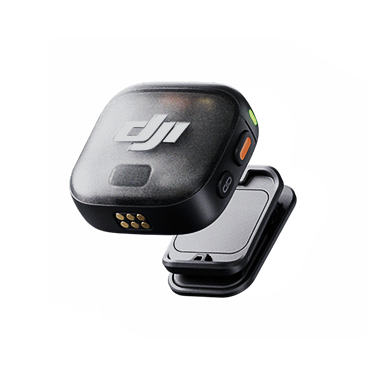
Transmitter
The primary audio-recording component, the DJI Mic 3 Transmitter records high-fidelity audio weighs just 16 grams.Discreet and powerful, the Transmitter delivers 32-bit float audio, timecode integration, lossless audio and more.
Attach the included windscreen and reduce wind and other extraneous noise, ideal for recording in noisy environments
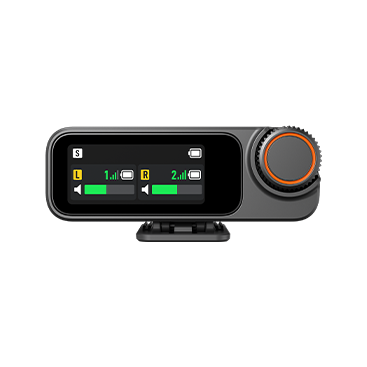
Receiver
Compact and easy to use, the DJI Mic 3 Receiver connects to up to 4 transmitters simultaneously for extensive audio coverage.It sports a 1.1-inch AMOLED touchscreen and lets you rapidly adjust settings with the tactile dial and connect to your video recording devices via a simple USB-C adapter.
Want to mount it on a camera? You’ve got it with a built-in cold-shoe mount.
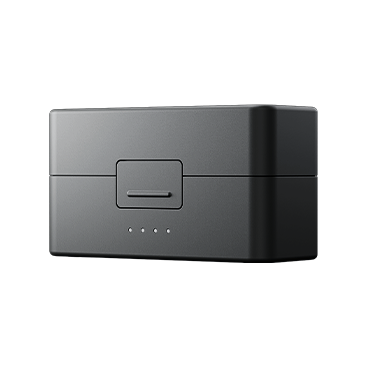
Charging Case
Store and charge the Transmitters and Receiver with the DJI Mic 3 Charging Case.The best part? The improved case is built to store everything you need to record, including adapters, magnets and the TRS audio cable.
It even fits the transmitters with windscreen and magnetic clip attached, eliminating friction from your creative process.
Wear it Your Way
DJI Mic 3 is built small. Whether you attach it via magnet or simply clip it on, the DJI Mic 3 Transmitter remains discreet, allowing it to be an accessory in your shot - not the main event.
28.5 mm
32.65 mm
Impressive Audio
DJI Mic 3 sounds sensational, regardless of what you record.The DJI Mic 3 Receiver can connect with up to four Transmitters simultaneously. Record in Mono, Stereo or Quadrophonic mode to suit your needs - you can even merge tracks!
Pro Audio
Ideal for professionals, DJI Mic 3 supports 32-bit float internal recording for a high dynamic range of audio that’s post-production friendly Capture the quietest of whispers and loudest of yells without clipping or distortion.
Lossless Audio
Enable Lossless Audio and enjoy uncompressed 48kHz 24-bit audio. Retain every bit of the original audio file for thorough post-production treatment.
Quadraphonic Mode
The DJI Mic 3 Receiver supports up to four independent audio track outputs - a first for a DJI microphone. Record four unique tracks for flexible mixing.
*Compatible device required.
Precision Syncing
Every second counts when it comes to creativity, that’s why DJI Mic 3 sports high-precision timecode support.
Whether you choose ATC or LTC, Timecode data is embedded in internal recording files, while the receiver supports timecode input and output, making editing that much faster.
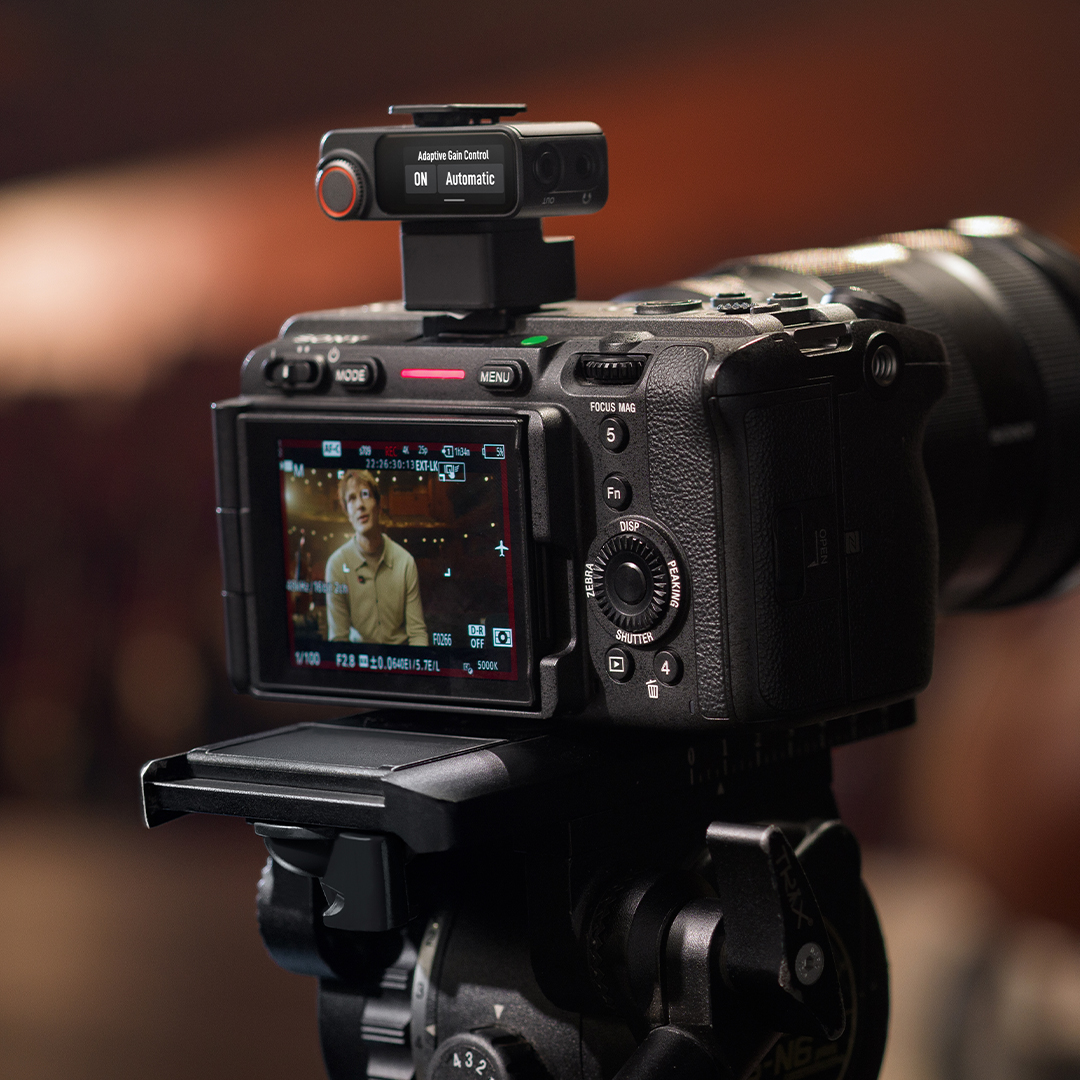
Adaptive Gain Control
Take the busy-work out of volume monitoring and leave it in the hands of DJI Mic 3’s Adaptive Gain Control.
Automatic
Prevent audio clipping with Automatic adaptive gain, producing a balanced audio file even in loud, boisterous outdoor environments.
Dynamic
With Dynamic mode engaged, gain will automatically adjust, responding to volume changes to produce a clip with consistent loudness.
Voice Tone Presets
Apply in-device vocal presets that return the results you want.
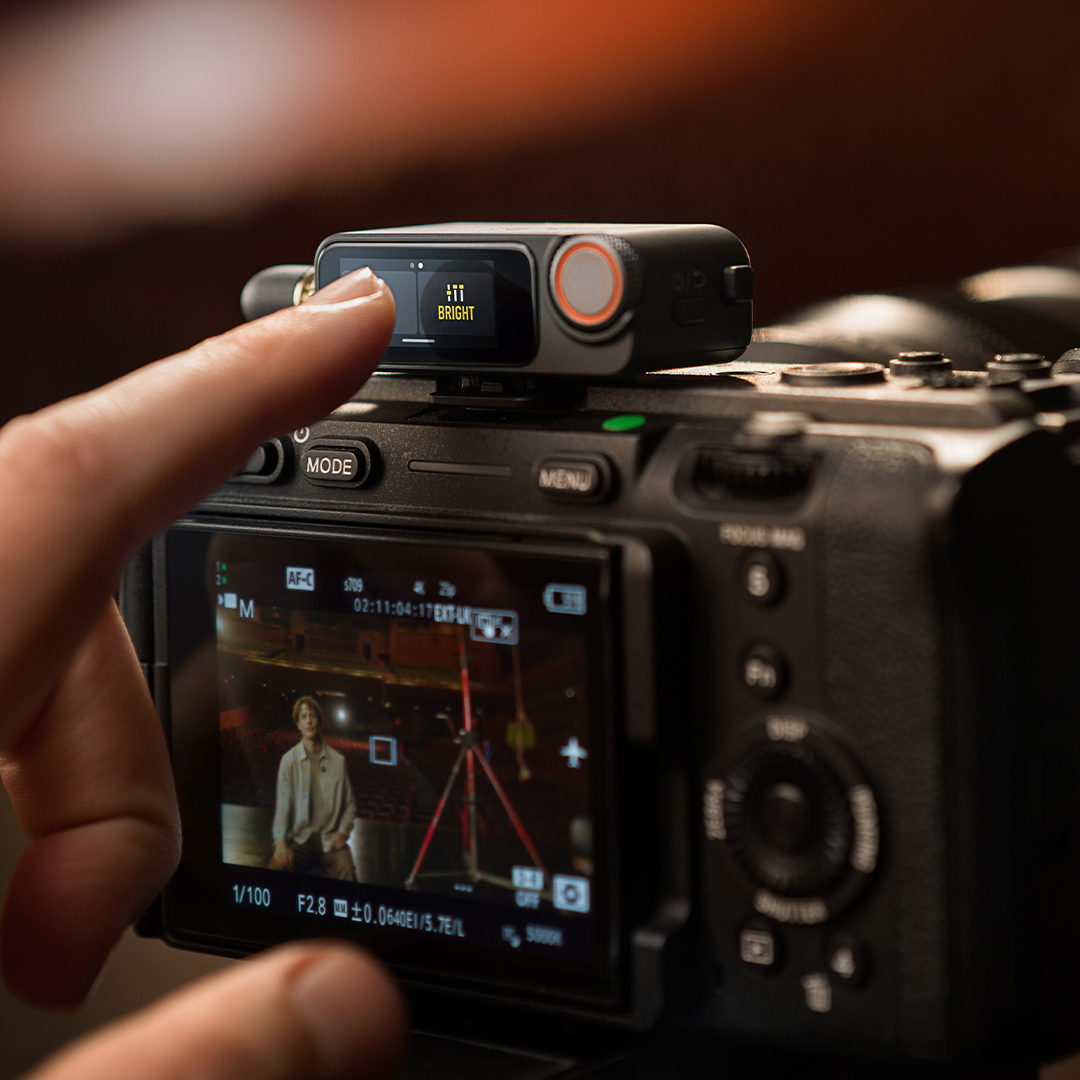
Regular
Delivers a clean, balanced voice tone.
Rich
Delivers a fuller voice tone focused on low-end.
Bright
Delivers a clearer voice tone focused on high-end.
Record What Matters
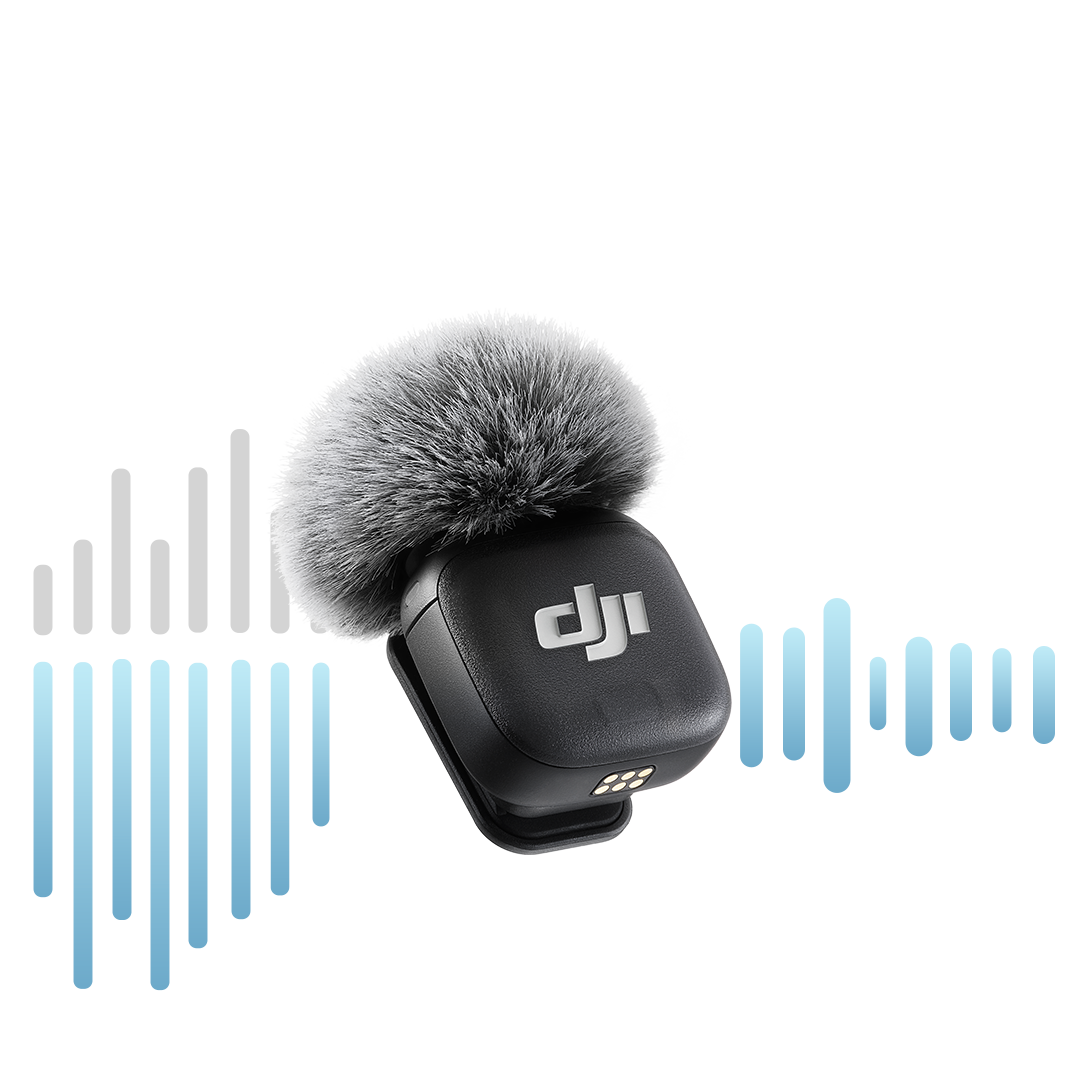
DJI Mic 3 only captures the best bits thanks to Two-Level Intelligent Noise Cancelling which ditches extraneous audio, providing you with a clean, ready-to-use audio file.
Basic
Ideal for indoor recording, enable Basic Noise Cancellation to reduce ambient noises like air conditioners and more.
Strong
Engage Strong Noise Cancellation in noisier environments for clearer vocals unburdened by ambient noise.
Connect Your Way
DJI Mic 3 is endlessly flexible, offering multiple methods to connect your creative devices to suit your needs.

OsmoAudio
Pair DJI Mic 3 directly with Osmo series cameras thanks to OsmoAudio connectivity. Enjoy seamless creativity without a receiver, perfect for quick and easy shooting.
Physical Connection
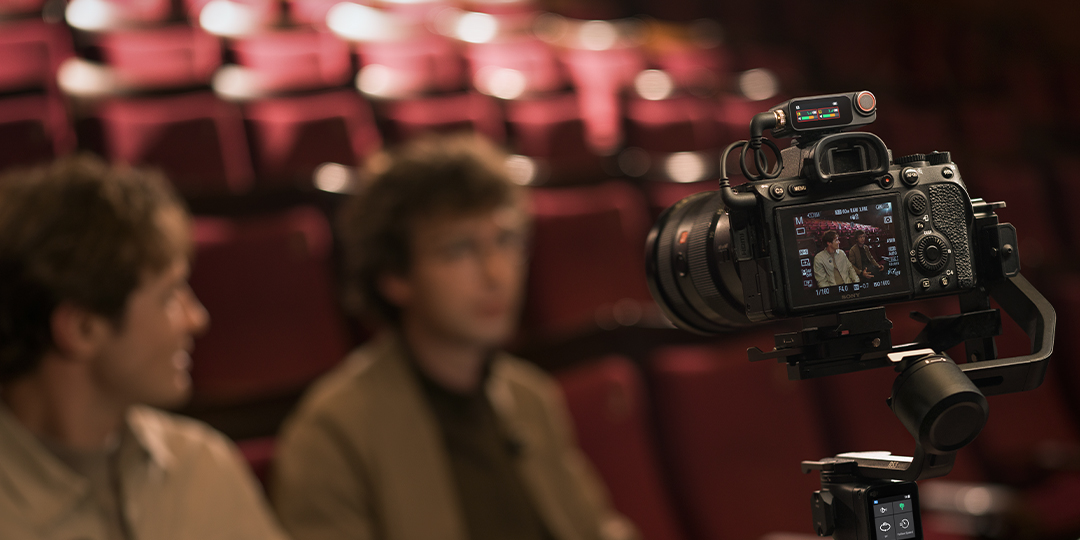
Connect the Mic 3 Receiver to your device of choice with single cable connectivity via Locking 3.5mm TRS or USB-C. Enjoy ultra-stable connection with real-time audio monitoring for smartphones, tablets and computers.

Bluetooth
Say goodbye to hassle and connect your Transmitter directly through Bluetooth - no receiver required.
This application is perfect for smartphone recording, livestreams and more.
Mic This, Mic That
Ready to record? DJI Mic 3 supports the following devices…
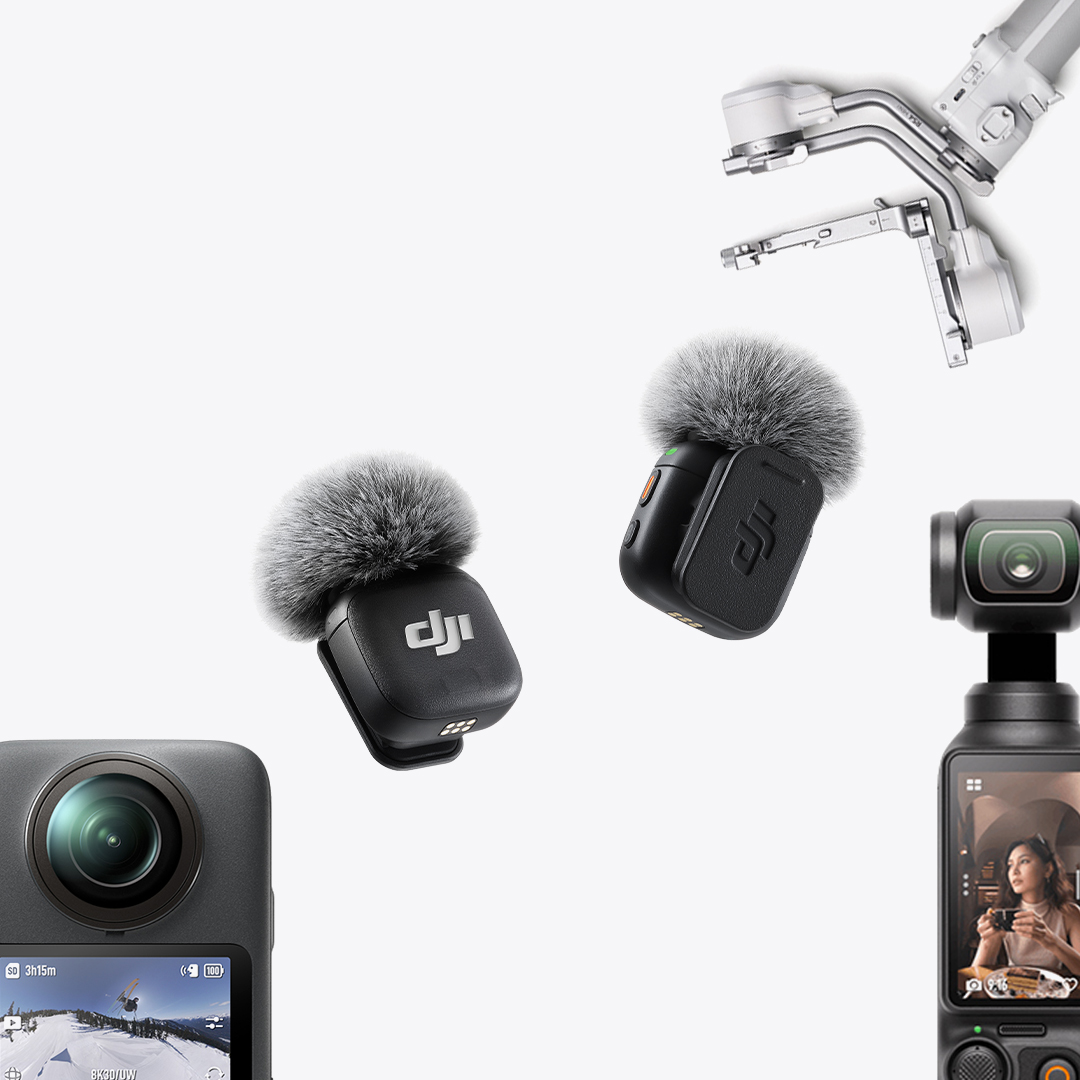
OsmoAudio Devices
With OsmoAudio, DJI Mic 3 connects easily with Osmo Pocket 3, Osmo Action series, Osmo 360 and more!
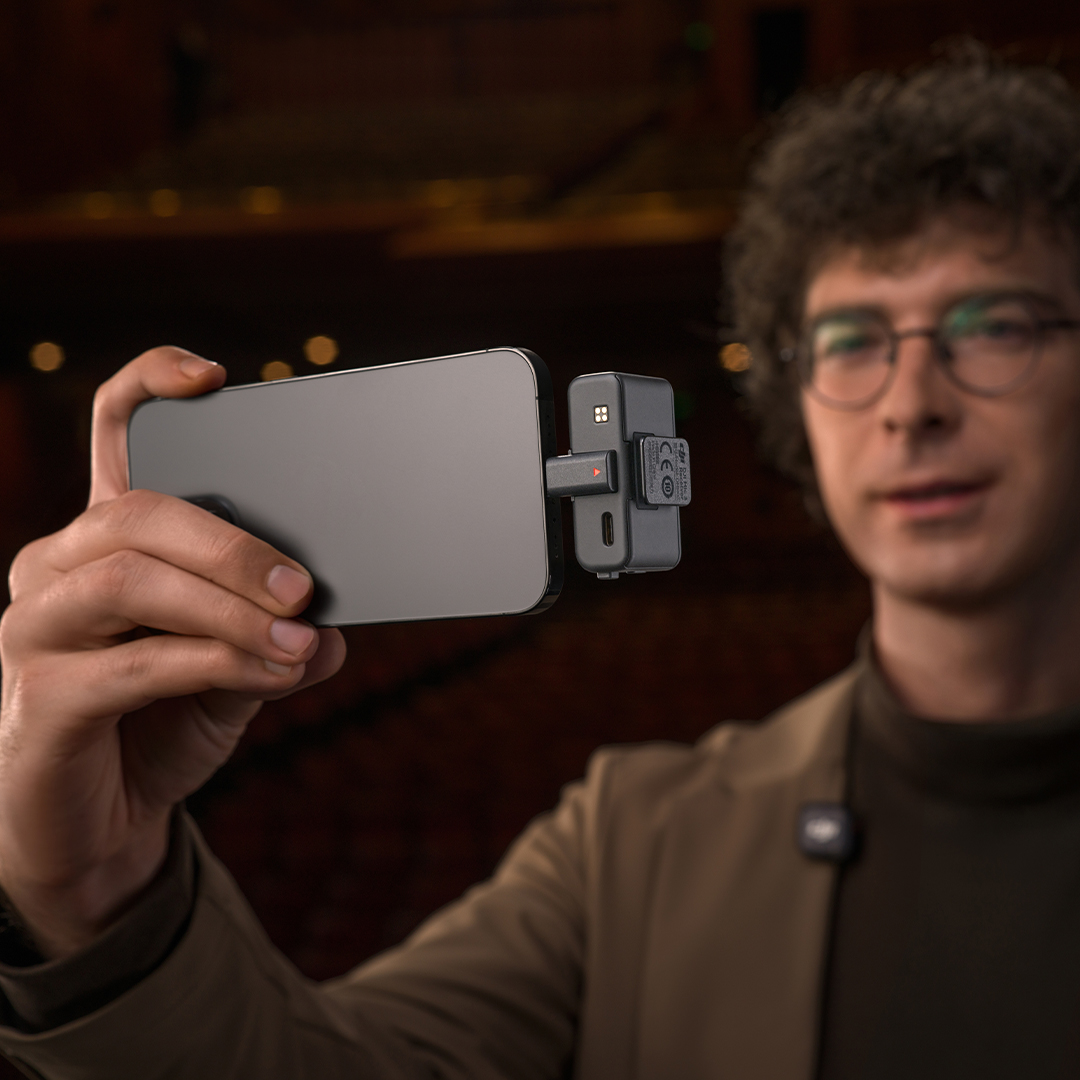
Smartphones
Link DJI Mic 3 directly to your smartphone via Bluetooth for an instant audio upgrade.
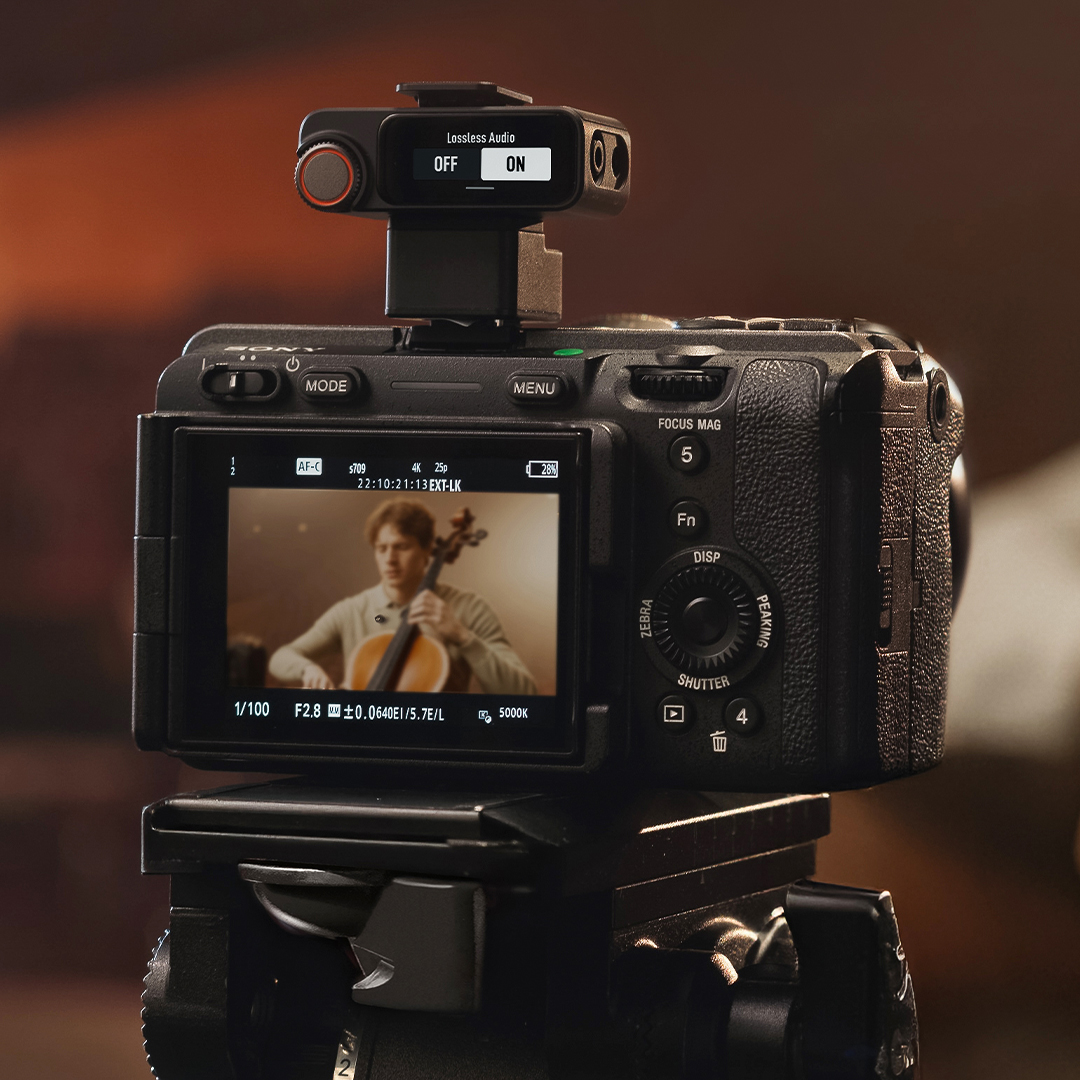
Cameras
Simply plug the DJI Mic 3 Receiver into your compatible camera via TRS Audio Cable and you’re ready to record.
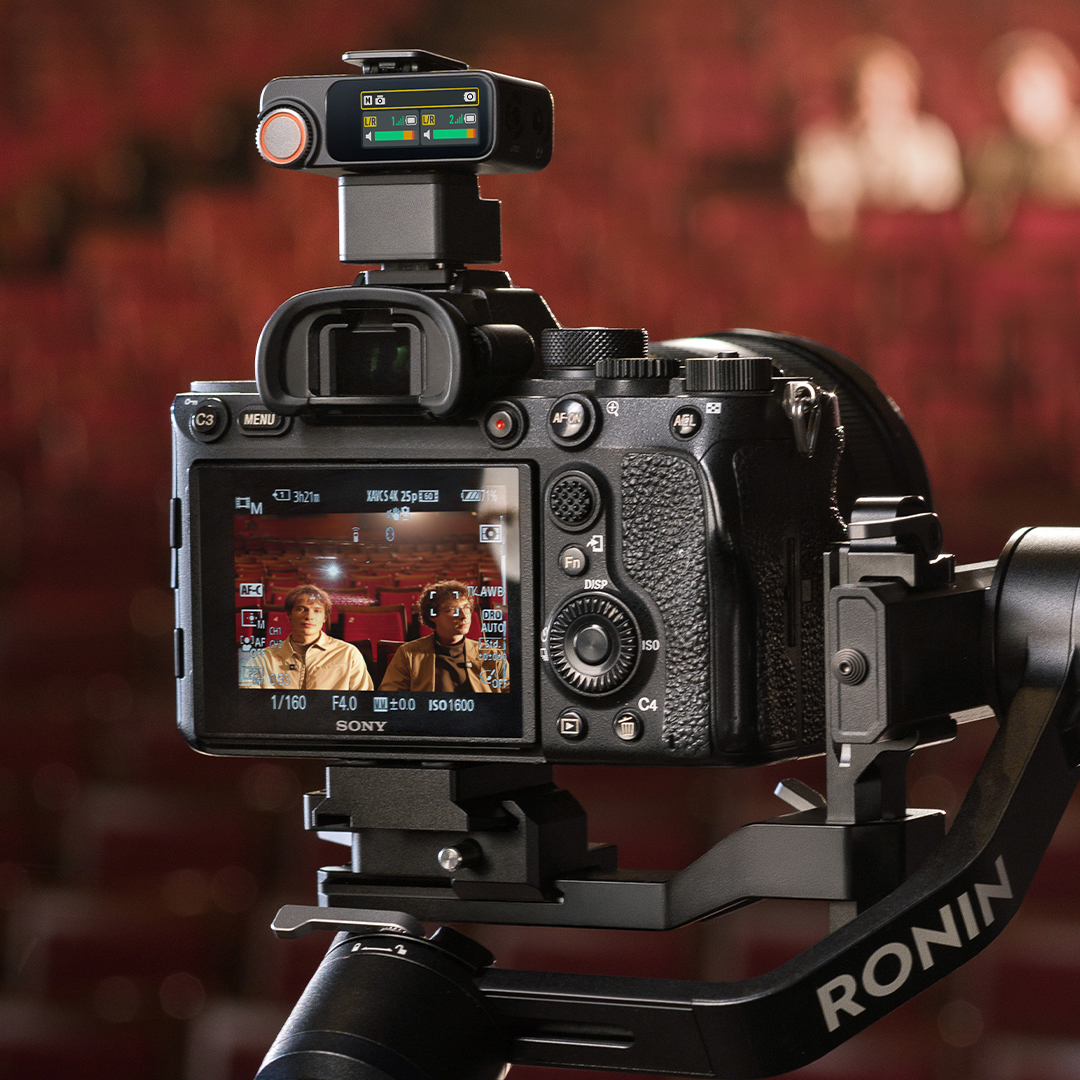
Sony Cameras
Shooting with Sony? Use the DJI Mic Series Camera Adapter to connect directly via MI Hot Shoe - no cable needed!
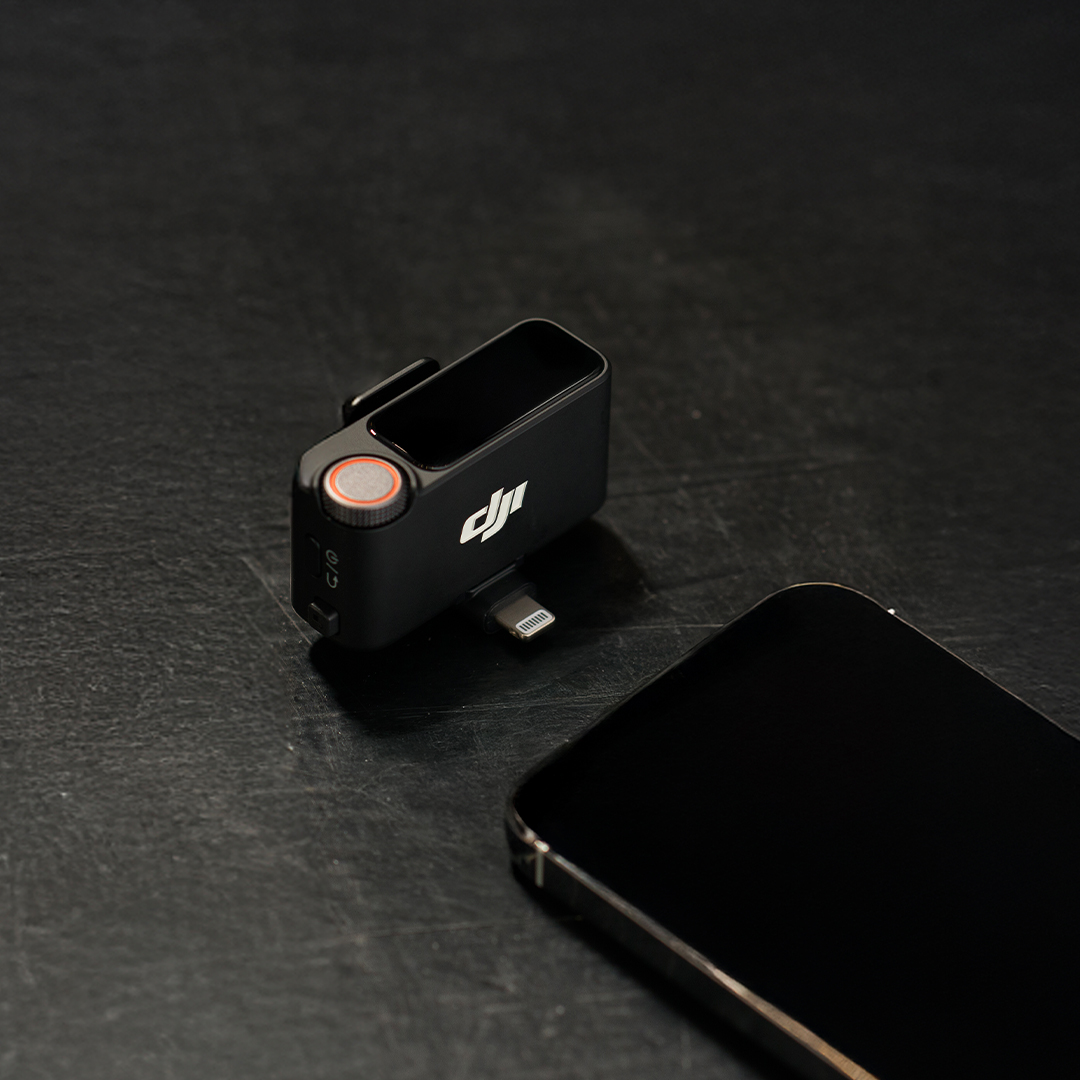
Lightning Devices
Unlock Lightning Connections and use DJI Mic 3 with iPhones and iPads thanks to the DJI Mic 3 Lightning Adapter.
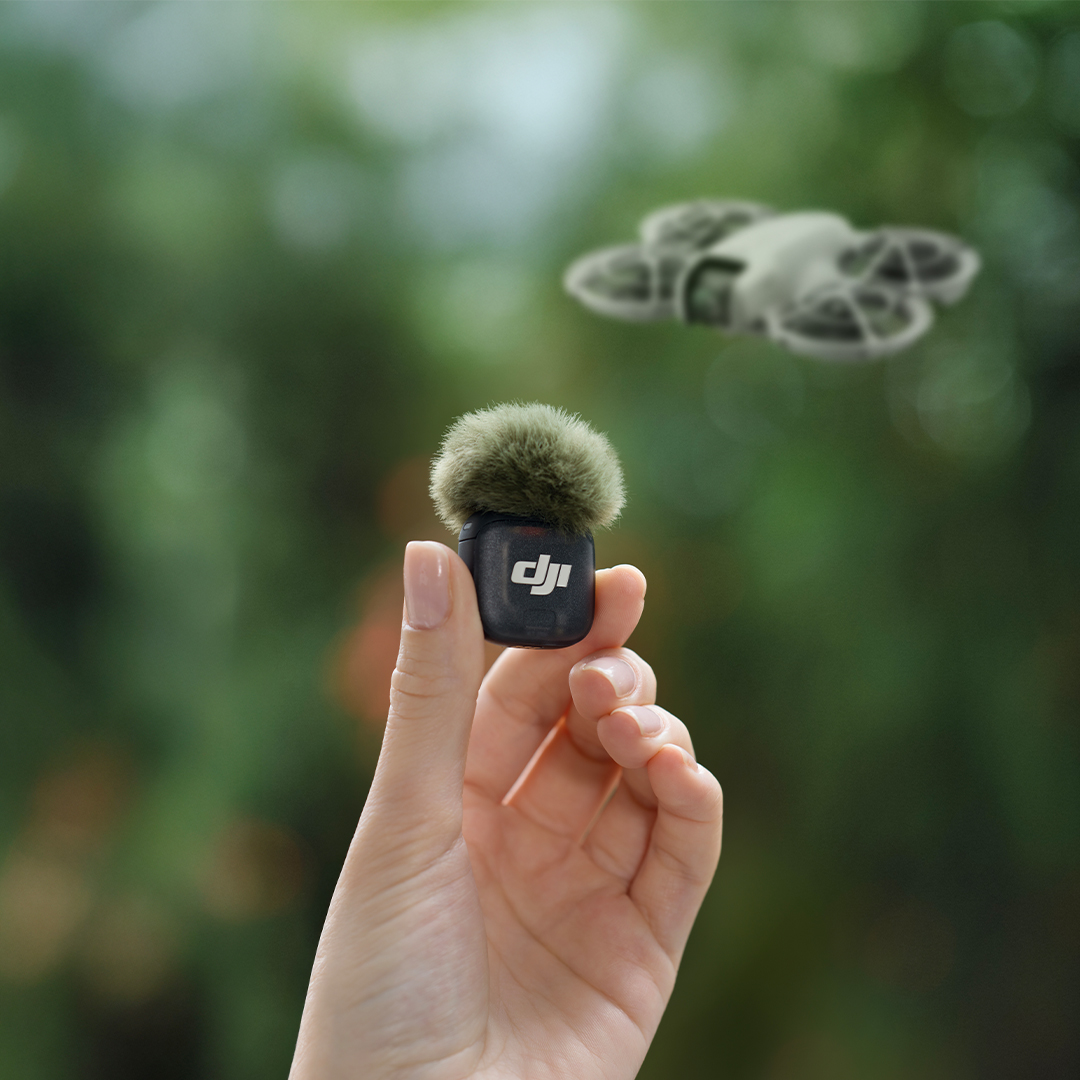
Drones
That’s right, DJI Mic 3 connects to select DJI drones, allowing you to vlog from the sky with crystal-clear audio thanks to intelligent propeller-noise removal.
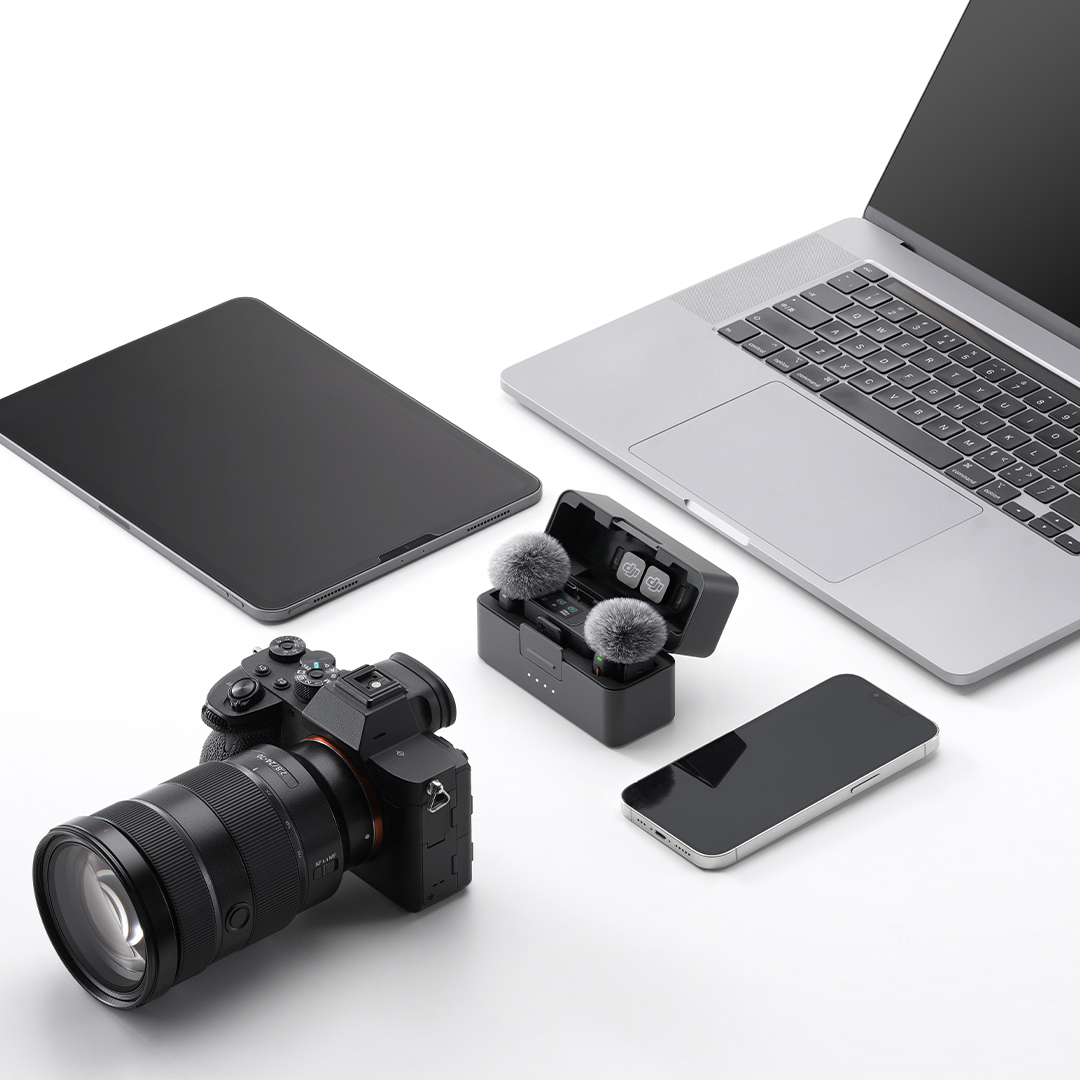
+ More
If your device supports audio input via USB-C, DJI Mic 3 is ready to help you record stellar audio.
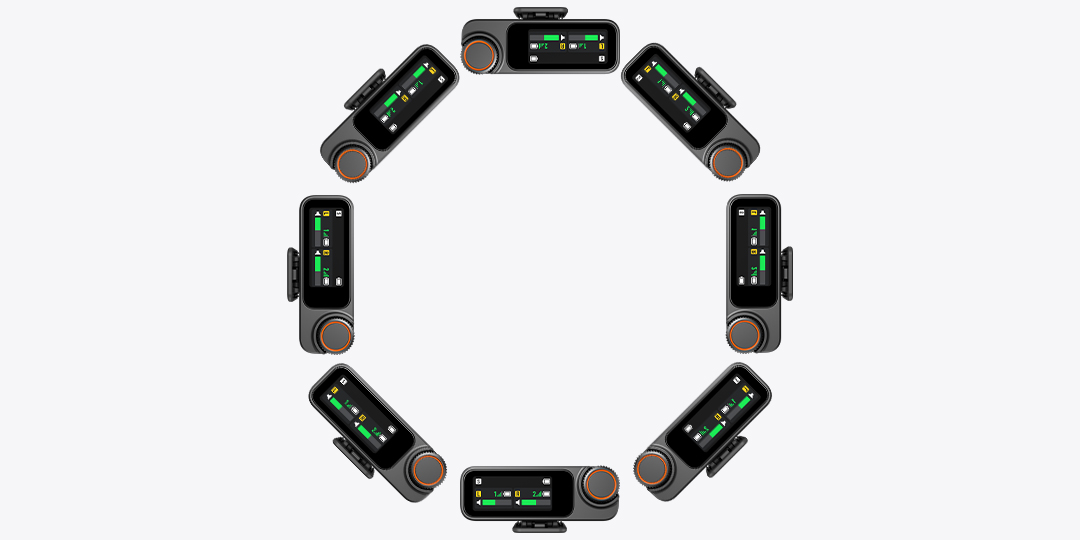
Eight-Way Sync
Working with a larger crew? Sync audio between up to eight DJI Mic 3 Receivers, perfect for multi-cam production, interviews and more.
All Day Power
DJI Mic 3’s batteries are built to perform all day long - literally. With 28 hours of extended use thanks to the Charging Case, you can record from dusk til dawn. Plus, with multiple Intelligent Power-Saving Features including Auto Power-Saving, Auto Power-Off and Auto On/Off With Camera, DJI Mic 3 preserves as much battery as possible during use.
Need a quick jolt of power? Get up to 2 hours of use from just a five minute charge thanks to 3C fast charging.
Dual Band Transmission
Enjoy rock-solid stability and up to 400m Transmission Range thanks to intelligent, automatic frequency hopping between 2.4 GHz and 5 GHz bands with dual band anti-interference capabilities.
400m Transmission Range
Internal Recording
Record without an SD Card thanks to 32GB of internal storage, built straight into the Mic 3 Transmitter. Capture audio for hours on end without the stress of lost audio.
When you’ve finished recording, simply offload the audio files to your desired device via USB-C or the DJI Mimo app.
Dual File Recording
Switch to Dual File Recording and capture even more. Dual file recording records both the original track and an algorithm-enhanced version, providing additional insurance.
Extended Recording
With 32GB of internal storage, you can record for hours and hours, and hours more after that.